PhotoRoom Background Remover: Powerful Features, Plans & Uses
Published: 3 Oct 2025

Photoroom background remover is the one that is an all-in-one photo editor with some smart technology that lets anyone create high-quality pictures within a few seconds. It is created to appeal to individuals selling items online, small entrepreneurs, and creators who would prefer their products to appear great without the need to employ a professional photographer. Hard stuff the app is making backgrounds look messy, putting on real-life shadows, and placing objects in cool new setting just a few tabs on your phone, or clicks on your computer.
When you sell stuff online, the picture of your product is the most important thing. A clean, great-looking picture is what makes people stop and click “Buy.” However, creating those perfect photos the old way with large lights and studios is extremely expensive and time-consuming. If you just need a great online background remover, this is the easy choice.
Table of Contents
What are the key features of Photoroom Background Remover?
The super tools family of Photoroom uses AI to remove the cost of costly studios, human models, or a full day of photographic editing. Turn your photography into high-converting professional snapshots with just a few clicks. These automated features will enable you to create content at scale without a lot of effort.
| Core Image Manipulation Tools |
|---|
Customizable BackgroundsPhotoRoom bg remover offers a precision engine that identifies the main subject and separates it from the background instantly. Once the original background is removed, the AI Backgrounds tool can place the product in a new setting. Users can choose from presets like Marble or Wood, or use the Pencil icon to generate specific environments, such as a “minimalist glass shelf with soft morning sunlight,” creating four distinct variations to choose from. Advanced Editing ToolsTo prevent products from looking like they are “floating,” this tool simulates realistic lighting. By analyzing the object’s shape, it generates a matching shadow with adjustable styles Soft for a natural look, Hard for direct sunlight, or Floating for a modern feel. Sliders allow for fine-tuning to ensure the shadow aligns perfectly with the background light. AI Expand & ResizeInstead of stretching or cropping images, this tool uses “out-painting” technology to grow the edges of a photo. When changing a square photo to a 9:16 Instagram Story or a wide banner, AI Expand generates new, matching visual information to fill the space without distorting the subject. 3D Effect & Virtual ModelsFor clothing brands working without live models, the fashion AI suite can simulate a physical fit.
Image Enhancer & RecolorThis duo handles retouching and variety. Enhance upscales low-resolution or fuzzy images to improve clarity. Recolor allows for localized color manipulation, changing a shirt from red to green in seconds while preserving the original fabric textures and shadows for a realistic result. Batch ModeBatch Mode acts as a high-volume automation engine, allowing for the processing of up to 250 images simultaneously. A single command, such as removing backgrounds or adding shadows, is applied to the entire set at once. This drastically reduces the time needed to prepare large collections for web listing. |
How to use Photoroom?
Photoroom background remover is designed primarily to help e-commerce sellers and creators produce professional product images quickly. It allows you to edit your projects via the mobile app (iOS/Android) or through the Photoroom Web App on your computer.

| How to create professional photos in seconds |
|---|
Upload Your ImageFirstly, you need to bring your image into the editor. Log in at app.photoroom.com and select the Space you want to work in. Open the app and select “+ Start from Photo” or “Create”. You can take a new photo with your camera or upload one from your gallery. For professional users who need to process multiple items at once, the “Batch” tool allows you to upload an entire folder of images simultaneously, ensuring that the AI applies the same removal logic to every file in the set. Background Removal AutopilotAfter uploading, the AI in Photoroom scans the image to identify the primary subject, whether it is a person, an item of furniture or a product and snaps it out of the backdrop in less than two seconds. Once the background is stripped, you are presented with choices, to leave it clear (better with logos) or to fill it with a clean Studio White or Classics Black. When you feel like being creative, the AI Backgrounds app allows you to have a context about a scene, such as a sunlit wooden table and it can create a believable background around whatever you are talking about. Refining the CutoutAlthough the pretty spot is pretty accurate, hairy stuff or thin stuff can still appear somewhat inaccurate, thus, you may also need to adjust it yourself. Click on Edit Cutout to enter manual mode. The “Assisted” brush just snaps to the sides when swiping, the “Manual” brush lets you have pixel-per-pixel control. You can also add in the subject AI Shadows or Reflections so that it can appear that it is there rather than floating. Finalizing and DownloadingYou are now left with the choice of a file format in which you are going to hang your image. PNG is preferred in case you require a transparent background on a site. In the case of such websites such as eBay or Amazon, a white-ground JPEG would work best. Optimize your pic before you hit download, and use the tool of Resize to auto-scale the pic to use on platforms such as Instagram Stories or Etsy thumbnails. After clicking on the Download or Save to Device button, you will have a high-res version of the file to work with and a copy of the file will be stored in your cloud gallery that you can make changes to at a later date. |
How much does Photoroom Pricing?
Photoroom bg remover offers several pricing tiers ranging from a restricted free version to high-volume enterprise and API solutions. Prices vary based on whether you choose annual or monthly billing.
| PhotoRoom Pricing |
|---|
Free PlanThe Free plan is free and is exclusively used personally and non-commercially. It provides you with basic background removal, although all the images exported will contain a Photoroom watermark. Under this plan, you can only make 250 white background exports per month and you can only have limited access to the advanced AI stuff. Pro PlanThe Pro plan costs $12.99 per month or $7.50 per month if you pay for a full year upfront ($90 total). It removes the Photoroom logo and lets you use the photos for your business. You get high-quality downloads and can edit up to 500 photos at once using Batch Mode. It also includes advanced AI tools like “Virtual Model” and “Ghost Mannequin” to help your product listings look professional Max PlanThe Max plan is designed for businesses that need more power and costs $34.99 per month or $20.99 per month if billed annually. It includes everything in the Pro plan but allows you to edit up to 1,500 photos at once. You also get access to better AI models, more credits for generating images, and faster customer support. Ultra & Enterprise PlansThe Ultra plan starts at $82.50/month (billed annually) for heavy users, supporting up to 5,000 batch exports per month and providing access to Photoroom’s most powerful AI models. For companies processing over 200,000 images per year, the Enterprise plan offers custom pricing with dedicated onboarding and flexible credit systems. Enterprise and API PlansFor massive companies processing over 200,000 images a year, Photoroom offers custom Enterprise plans with tailored pricing and dedicated support. There are also API plans for developers who want to add these tools to their own websites. These start at $20 per month for basic background removal, costing about $0.02 for every image processed. |
For all the up-to-date details on costs and what each plan includes, visit the official page here: https://www.photoroom.com/pricing
Why Businesses Rely on Photoroom app?
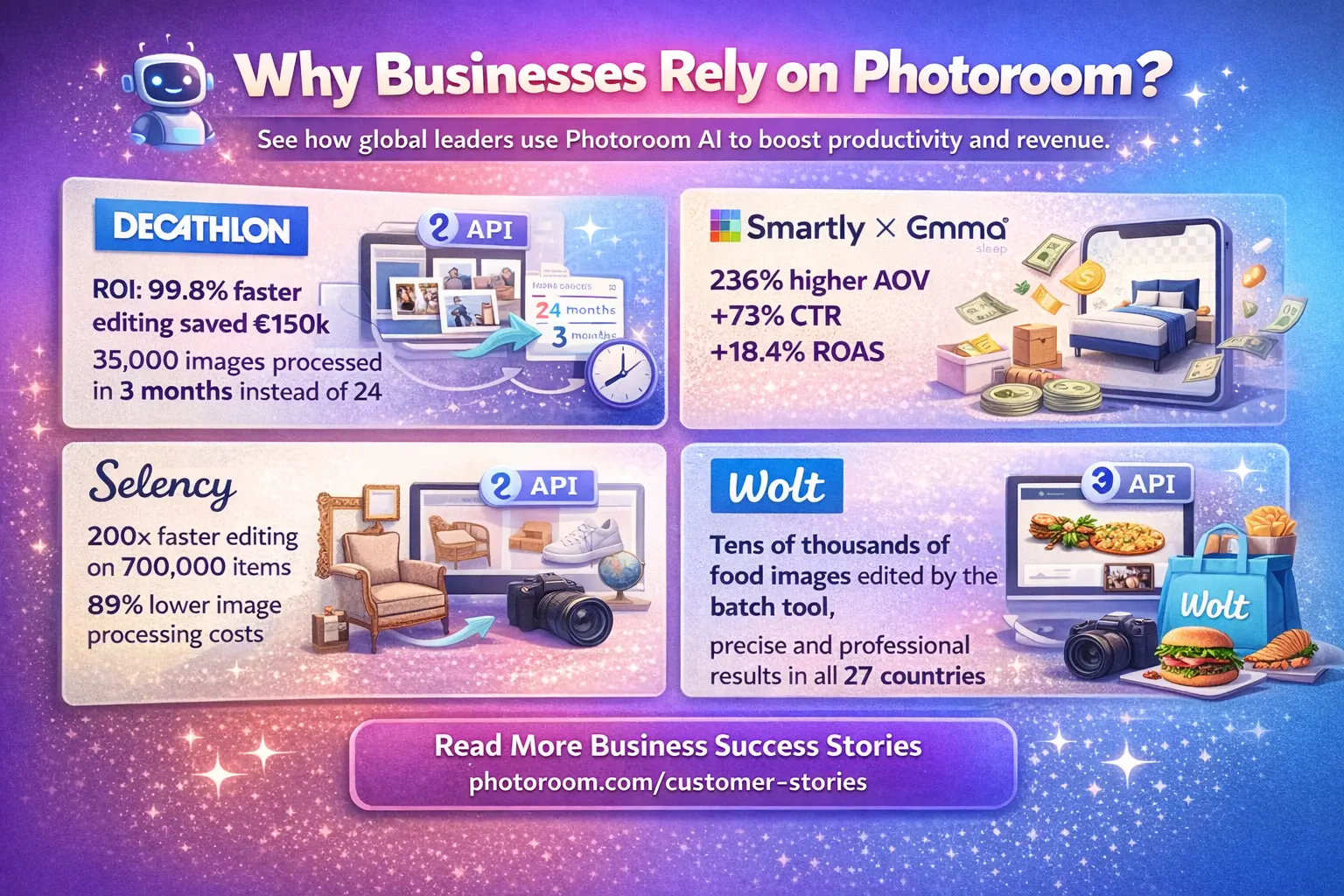
The following case studies demonstrate how Photoroom AI is utilized by global leaders in the retail, marketplace, and digital marketing environments to remove production bottlenecks and speed up revenue generation.
Decathlon
The sports retail giant was up against a difficult challenge of handling 35,000 images in eight different countries, a project that would require two years when using the traditional mandatory editing. The introduction of the Photoroom API as a direct audit in its Digital Asset Management (DAM) system enabled Decathlon to cut the project lifecycle (initially 24 months) down to 3 months. This shift was a 99.8% reduction in editing time, saved around €150,000 in manual fees, and provided the ability to roll out into markets four times faster than it used to.
Selency
Being a prominent vintage furniture store, Selency had to uphold high visual standards in a huge and fast-growing list of more than 700,000 unique products. Their processing speed accelerated 200x after they adopted the Photoroom Background Remover API to automate the processing of marketplace images. This transition caused the image processing costs to go down by 89% and enabled the company to transition the 48-hour studio editing process to almost instant product placements.
Shrewdly x Emma Sleep
Smartly was a digital marketing platform, and Smartly had to find high-quality images of its products in order to match different social media campaign designs on behalf of Emma Sleep. With the addition of the Photoroom Remove Background API, which extracts subjects instantly, their average order value (AOV) grew by 236%. There was also an increase in the click-through percentage by 73%and an increase in ROAS by 18.4%, and the time component of manual cataloging was also lowered by half, as it took only 8-10 hours as compared to 30 hours.
Wolt
With more than 140,000 merchants in 27 countries, Wolt needed a system that was capable of dealing with different and tricky food photography with high precision. And they used the Image Editing API to process tens of thousands of images in order to provide the customer with a seamless and professional experience, as the marketplace is set up in all the global markets. This batch processing saw lean world teams handle huge inventories with ease, without necessarily having to hire more workers.
You can read stories from other business owners who use the tool here:https://www.photoroom.com/customer-stories
People Ask Questions (FAQs)
Yes. You can use the full studio right in your internet browser at photoroom web. You don’t need to download a big program like a photoroom app to use the best parts of the tool.
Photoroom is one of the best online background remover app options because it doesn’t just remove the background it helps you change the whole scene quickly and even process hundreds of pictures at once if you pay for the Pro or Max plan.
Final Thoughts and Other Tools
Photoroom will make the process of professional photo editing a lot more accessible by removing the heavy lifting from your hands. It saves you time and helps you make more sales, whether you are new to the business and have been using the free version, or you have the Pro features that let you edit hundreds of photos at a time. Photoroom transforms your mere snapshots into studio-quality photos and provides you with everything you should shine in the overcrowded digital space and create a brand that looks like a pro.






- Be Respectful
- Stay Relevant
- Stay Positive
- True Feedback
- Encourage Discussion
- Avoid Spamming
- No Fake News
- Don't Copy-Paste
- No Personal Attacks
- Be Respectful
- Stay Relevant
- Stay Positive
- True Feedback
- Encourage Discussion
- Avoid Spamming
- No Fake News
- Don't Copy-Paste
- No Personal Attacks
