Adobe Firefly Image Generator: 6 Powerful Features, Pricing & Use Case
Updated: 02 Feb 2026

Adobe Firefly is a generative AI platform that helps users to create and edit images, graphics, vectors, video, audio, and other creative assets using simple text prompts, rather than manually drawing or designing.
At its core, Firefly generative fill aims to be a creative tool that enables prototyping, design, and generates polished visuals from concept to finished piece using AI. Whether you need a social‑media banner, a stylized illustration, a video clip, or even a vector logo, Adobe Firefly image generator packs a broad range of creative tools inside one ecosystem.
Firefly AI is offered both as a standalone web/mobile app and as integrated AI‑powered features inside familiar Adobe apps like Adobe Photoshop, Adobe Illustrator, Adobe Express and more (via Creative Cloud).
Table of Contents
What are the features of Adobe Firefly Standard?
Adobe Firefly Standard plan provides a ready-to-use image, and actually a full range of the creative system for professionals.
Text-to-Image: You enter a descriptive prompt using the right panel to set Content Type (Photo/Art), Aspect Ratio, and Styles/Effects. Adobe Firefly’s text-to-image generator creates several image variants within a few seconds. Click an image to download or use Edit to refine, or modify the prompt and generate again.
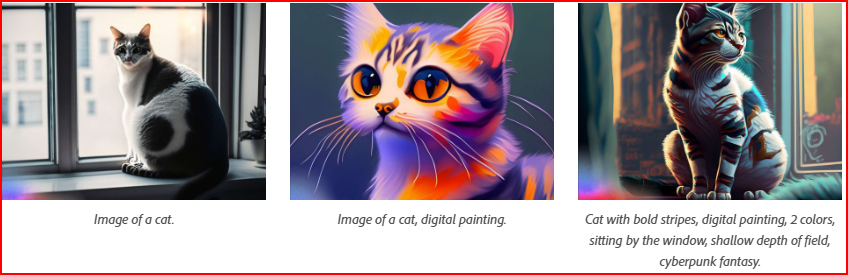
Image-to-Image: It is possible to use an existing image (or sketch) as a style/composition reference and ask Firefly to create or edit (useful in refining a concept).

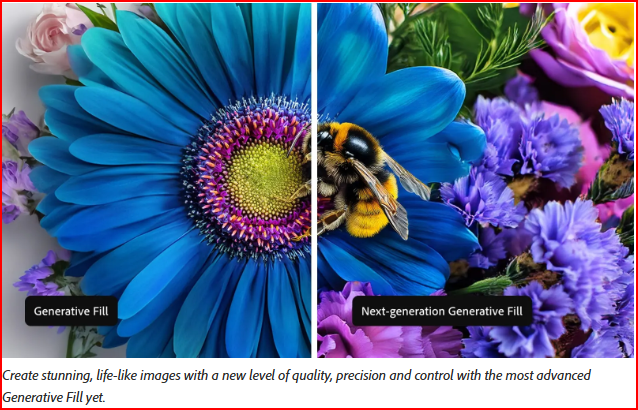
Editing through Generative Fill: When you have an image (generated or uploaded), you can make Firefly add/remove items, resize canvas, recolor vectors, apply text-effects-that-are-stylised, and so forth, usually through a simple prompt.
Video Generation: Firefly Generative Fill is used to create short video clips based on a text prompt or convert images to videos. Though this often requires generative credits from premium plans such as Firefly Pro.
Text-to-Speech: Firefly is capable of creating sound effects, background music, voiceovers, or translating audio/video to other languages assisting creators in creating complete multimedia content.
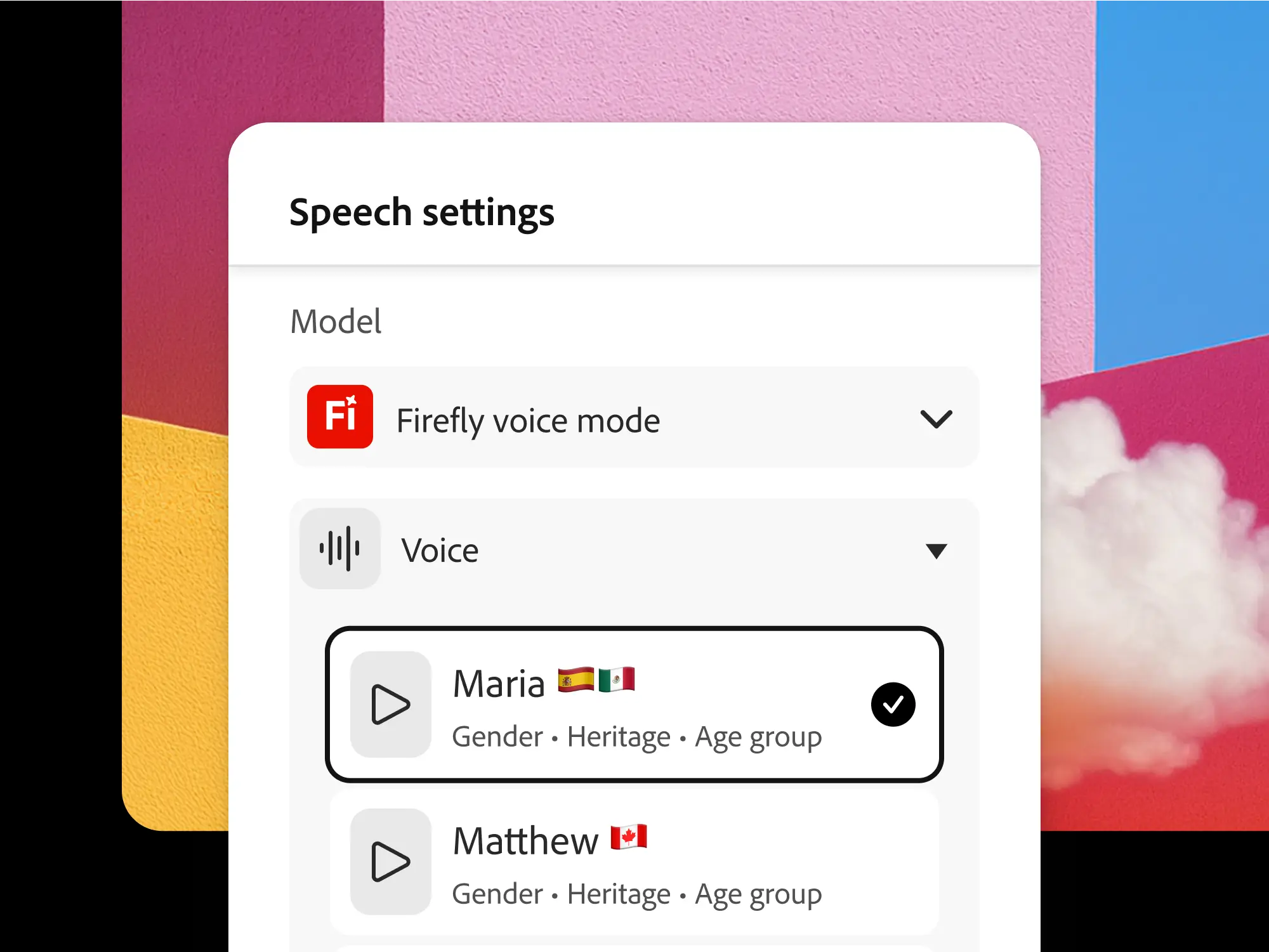
Image Graphics: Adobe Firefly graphic design is also capable of creating vector-based graphics based on cognitive input.
Who uses Firefly?
Firefly is helpful with a large range of users due to its universal quality and convenience:
- Graphic designers/ illustrators: To sketch ideas, mockups, or finished materials (posters, social posts, illustrations, vector art) using the Adobe Firefly image generator and Adobe Firefly AI photo editor.
- Content creators: Utilize Adobe Firefly Photoshop for creating visuals quickly, such as thumbnails, social media images, and banners.
- Start-up founders: Using Firefly Boards to create required branding materials, logos, and marketing tools without paying designers.
- Marketers: To speed up the creation of campaign assets, experiment with design versions, which can be fast. Major brands and agencies have reportedly been using Firefly Services in order to accelerate campaigns.
- Video/multimedia authors: Firefly Pro features video, audio and voice-over capabilities, prototype videos, create soundtracks, or localize content.
- Teams and group workflows: Firefly Boards are a system feature that facilitates a collaborative canvas. This tool helps design teams brainstorm, iterate, and coordinate visuals collectively.
Where & How to Access Firefly?
- Firefly Web App: Visit Adobe’s Firefly website. Sign up (or log in with your Adobe ID) and start using “Text-to-Image,” “Generate Image,” or other tools in your browser, no additional software required.
- Firefly Mobile App: For iOS/Android, generate images, videos, or start designs on your phone, then sync with Creative Cloud to continue on desktop later.
- Integrated in Adobe Creative Cloud Apps: If you already use Photoshop, Illustrator, Express, Premiere, etc., you get Firefly’s generative AI features directly inside those apps (depending on plan).
- Firefly Services (APIs): For companies, agencies, or developers, there are APIs (in beta or general release, depending on timing) so you can integrate Firefly’s generation capabilities into custom workflows, apps, or production pipelines.
Firefly Editions, Pricing, and Generative Credits
Adobe Firefly offers four main subscription plans from free access to premium professional tools designed for creators of all levels.
| Plan | Price | Credits | Key Includes |
| Free | $0 | 25/month (resets) | Text-to-image, basic edits, web app |
| Standard | ~$9.99/mo | 100+ | Expanded boards, more models |
| Pro | ~$19.99/mo (50% off first 3 mo) | Unlimited | Partner AIs (OpenAI, Runway), full gallery |
Start free, upgrade anytime. Pro suits heavy users; all plans sync across Creative Cloud devices
Firefly offer commercially safe outputs killer feature across all plans:
✅ What’s Allowed:
- Full commercial rights ownership
- Print, merchandise, ads, client work
- No attribution required
- Resale in original designs (not raw stock)
✅ Safety Proof:
- Trained on Adobe Stock + public domain only
- Content Credentials (C2PA standard) auto-attached
- Internal bias testing + user reporting
- Optional “Created by Firefly” badge
❌ Limits:
- No raw output resale as stock photos
- Illegal/harmful prompts blocked
Vs Competitors:
| Tool | Training Data | Commercial Safety |
| Firefly | Licensed only | ✅ Full rights |
| Midjourney | Public web | ⚠️ Risky |
| Stable Diffusion | Mixed sources | ❌ Lawsuits |
Adobe co-founded Content Authenticity Initiative trust built-in.
Adobe Firefly Pros and Cons
Adobe Firefly excels in commercial safety and Creative Cloud integration but faces limitations in text rendering and beta features.
- Text generation often distorted/inaccurate in images.
- Human faces inconsistent with unnatural distortions.
- Video generation (beta) limited to 5-second clips with complex action struggles.
- Steep prompt engineering learning curve for optimal results.
- Generative credits don’t roll over; premium plans costly ($9.99-$199.99/mo)
Conclusion:
Adobe Firefly Image Generator creative workflows by blending AI-powered originality with the robustness of Adobe’s creative suite. Whether you are an illustrator, photographer, marketer, or agency professional, Firefly is a vital tool for producing unique, legally safe, and highly customizable images faster than ever before.
FAQ
Adobe Firefly generative AI models are primarily trained on Adobe Stock’s licensed content, public domain content where the copyright has expired, and openly licensed content with commercial use allowed.
Content generated by non-beta Firefly features within Creative Cloud apps (like Photoshop, Illustrator, Express) and the Firefly web application can be used for commercial purposes.
Adobe Firefly web app depends on an internet connection, but its Photoshop integration continues to function locally after initial loading.
Answer is yes. Adobe has developed its own powerful generative AI platform for creating images and other media, called Adobe Firefly