Looka AI Review, Pricing, and Logo Maker Guide 2025
Updated: 02 Feb 2026
Table of Contents
Looka AI helps us to create professional logos and brand identities without the need to seek the services of designers. It uses artificial intelligence to create personalized designs in accordance with the style of the brand, colour options, and industry chosen by the user. The platform includes a logo maker, brand kit, and site building, hence offering a one-stop branding solution to its customers. The range of its AI-based logo creator and ready-made templates depends on niche industries. It makes logo design much easier in startups and small industries. The users also implement a uniform branding of their social media on Instagram and LinkedIn, among others.
The guide defines its annual review, pricing model, and applications of the same within the year 2025.
What is Looka AI?
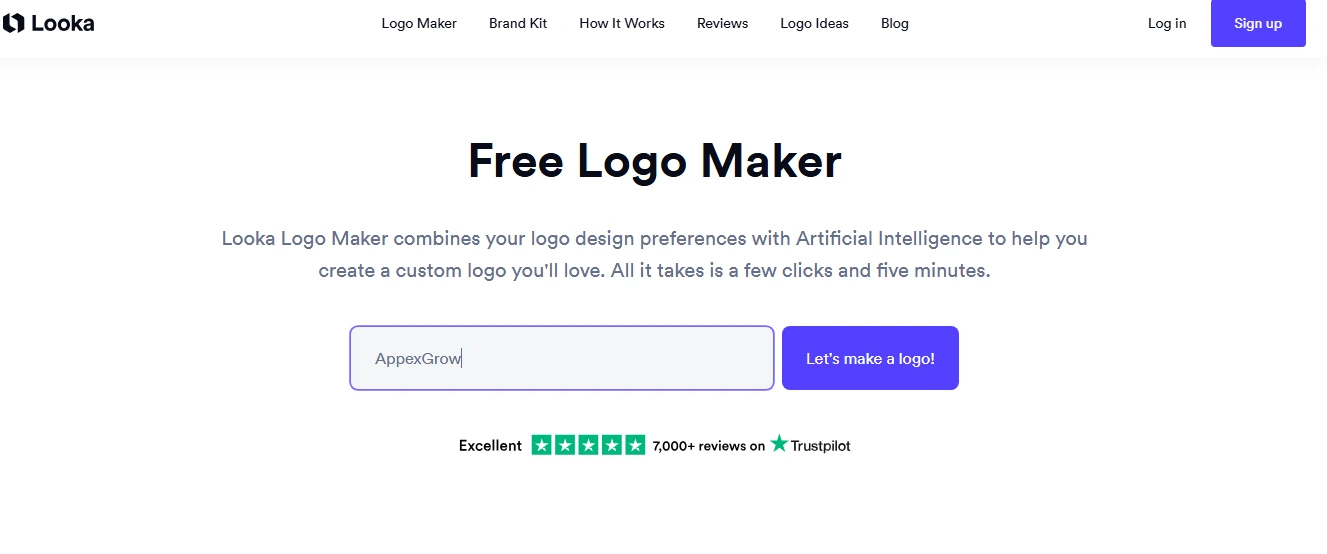
Looka AI functions as an automated system for building complete brand identities through structured, AI-guided design. People who are searching what is Looka often need a tool that removes design complexity for new or growing businesses. This platform processes industry details, color choices, and style preferences to produce clear logo concepts with minimal manual work. Its workflow supports the users who want consistent visual output across digital and print channels.
This system provides tools for logo creation, brand kits, and a layout refinement interface. They give us many options like typography, pair colors, and generate assets suited for websites and social profiles. This setup improves branding efficiency when a small team wants a quick output. It also avoids the involvement of experts. Its organized outputs maintain uniform quality across marketing materials, giving businesses a stable foundation for long-term identity building.
| Key Features of Looka Logo Maker |
|---|
|
Here are the essential functions users rely on to build structured, consistent, and professional brand visuals across their platforms.
|
Looka AI Pricing & Plans
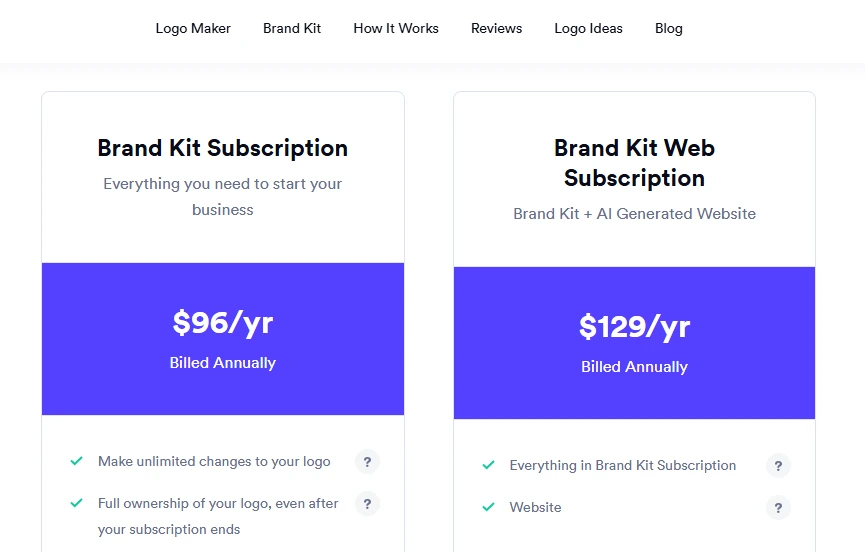
Here are clear points on looka pricing across its tiers, giving users a direct way to choose a plan for steady brand work.
Free vs Pro:
The tier in Looka logo maker supports free basic testing, while the Pro version offers full exports and brand assets. The Pro version serves those who need consistent files, multiple revisions, and dependable access to brand elements. This upgraded version helps businesses keep branding in a uniform way across every platform without workflow gaps.
Brand kit subscription:
The Looka brand kit subscription provides us with ongoing access to branded assets. So, users maintain it across channels. It supplies templates, color rules, and typography files required for consistent publishing. This subscription ensures branding stays aligned during updates and supports teams and managing visuals every day.
Value for money:
The Looka pricing is flexible and does not require outsourcing graphic designers to meet the needs of the users and their assets. All these plans offer low-cost pricing, accessibility that is consistently stable, and resources needed to uphold a stable brand. These features enable businesses to get to branding without exerting more operational strains.
How to Create a Logo with Looka AI
A large number of users create logos by Looka login into their accounts. Designers select stylistic elements and colour palettes to guide the system toward the right concept. The platform produces instant layouts based on the preferences entered during setup. The refinement process adds small adjustments to improve spacing, alignment, and visual unity.
Firms review each change carefully to identify the most effective branding direction. Accurate tweaks finalise shapes and typography before exporting them in various file formats. Creators check every detail to prevent errors across digital brand assets. Users download finished logos in the formats required for different professional needs. Teams strengthen their online presence through the Looka website builder to expand brand elements. This structured method supports the creation of strong and consistent brand identities.
Looka AI Templates for Different Industries
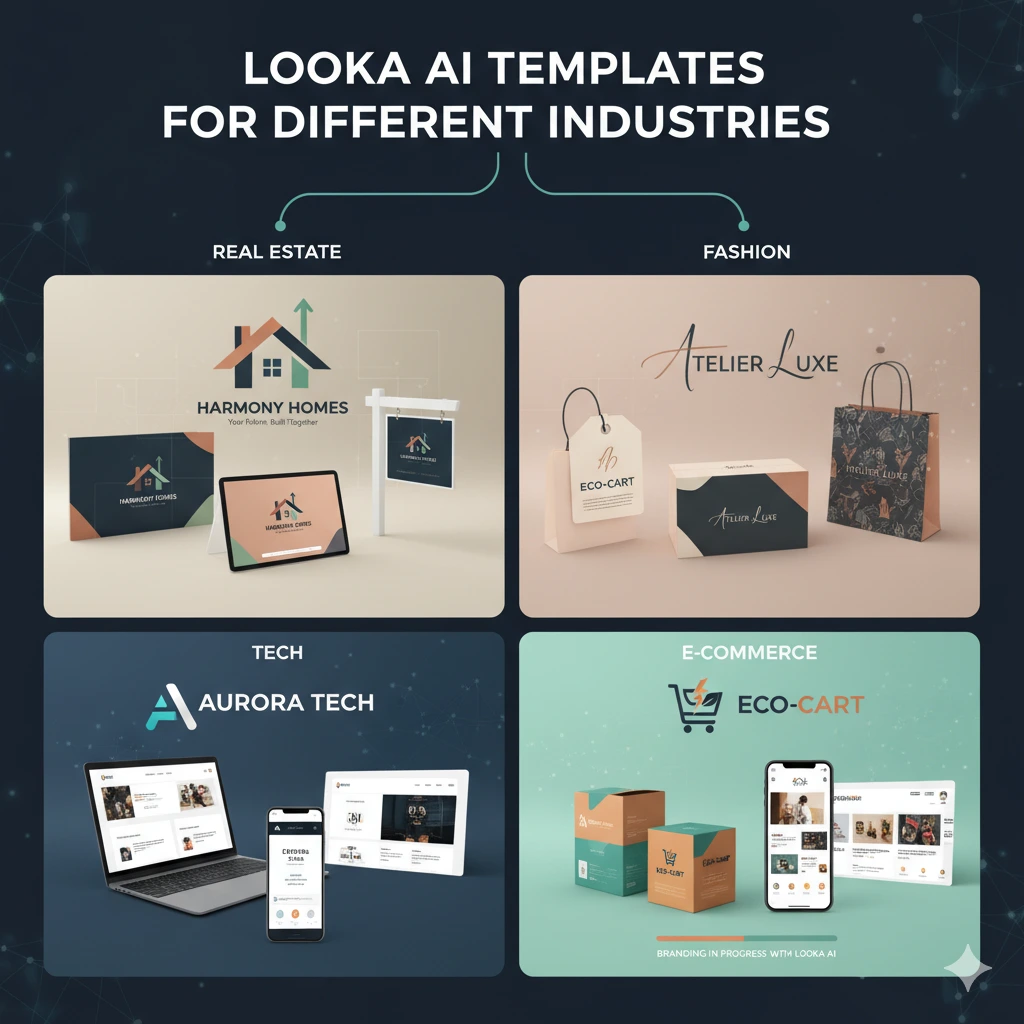
These are templates used to lay down designs in sectors that need clarity fast. The user chooses one of the styles designed to meet e-commerce, startup, real estate, fashion, or technology needs to retain uniformity in identity. The system employs Looka AI templates to align symbols, colors, and typography with the visual conventions of each sector. The process will ensure every industry logo design is synchronised and prepared to undertake branding processes.
- Real Estate: I am using Looka AI to design a new identity for my real estate agency from the ground up. It produced simple property icons and harmonious colour schemes. It allows brochures, signage, and online listings to convey a consistent, professional image that clients immediately recognize
- Fashion: My friend launched a boutique clothing label, and he used Looka AI to create a cohesive brand. The system suggests refined logos, complementary typefaces, and balanced palettes. It enables packaging, tags, and promotional visuals to reflect the boutique’s unique style across every customer touchpoint.
- Tech: My brother started a small tech startup and relied on Looka AI to define a sharp, professional identity. The platform generated clean icons, structured layouts, and modern fonts, helping his investor decks, websites, and marketing materials communicate innovation and consistency across all digital channels.
- E-commerce brand: An e-commerce use case highlights a practical workflow for small retailers. A store selects a clean layout from Looka AI templates and adjusts colors to match packaging. The symbol options guide product-focused branding and keep the visual tone steady across listings. The process leads to a sharper identity built with Looka AI logo resources.
If you need a tool to turn these branded elements into clean presentations or quick visual drafts, you can read my Gamma AI guide here.
Pros & Cons of Looka AI
Here are key strengths and limitations users should consider before selecting this platform for branding work.
I am also improved my brand identity. Recently, I tested a Looka layout for my project. The system matched colours, typography, and symbols quickly, and it gave me a clearer direction that supported consistency across my website, packaging, and social platforms. It keeps every element steady and cohesive.
Pros of Looka AI:
- Looka gives us new brands, quick results, and offers advantages to help them grow.
- We can easily build logos fast and get valuable assets in your first year.
- This platform provides us with a wide variety of styles that you can export and edit quickly.
- It keeps your work organised and easy to manage.
- New companies get a trial of the free logo maker, and startups also use the easy kit without a long setup.
- We also create a creative team from any location, and the platform delivers finished results that we use over an extended period.
| Cons of Looka AI |
|---|
|
Looka AI vs Other Logo Makers
Here is a detailed comparison of Looka AI and three prominent competitors
| Platform | Pros | Cons | Pricing* |
| Looka AI | Fast AI-driven logo creation; consistent brand kits; on‑demand exports | Limited symbol originality; advanced edits may feel constrained | Plans start around USD 20 for one-time download + higher-tier subscription |
| Canva | Huge template library; drag‑and‑drop design; collaboration tools | Less AI automation; logos may feel generic | Free tier + Pro from ~USD 12.99/mo |
| Tailor Brands | Strong branding tools; animated logos; full business suite | Subscription cost; less design freedom | Monthly plans from ~USD 9.99 |
| LogoMakr | Simple, cost‑effective; vector export | UI feels more manual; fewer advanced features | One-time fee around USD 19‑39 |
Looka AI for Social Media Branding
Here are structured strategies showing how Looka AI social media logos support consistent visual identity across major social media platforms.
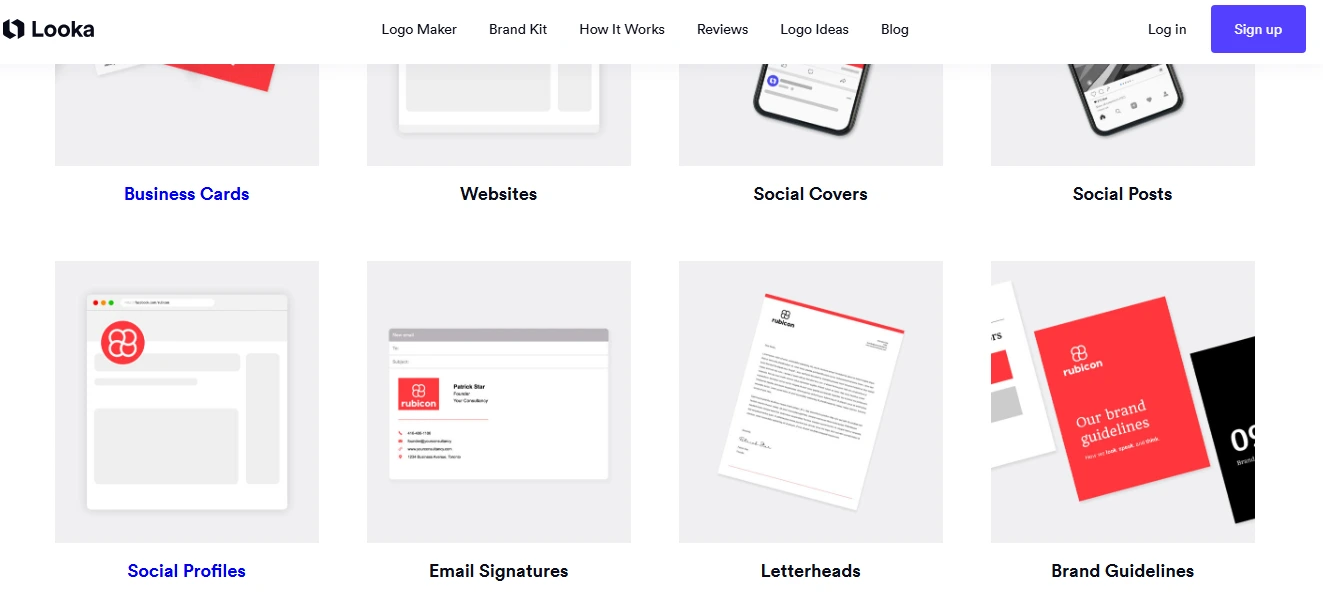
- Full brand kits: Ready-made colour palettes, fonts, and icons are hosted on wholly branded kits. Users apply these assets to create social posts, profile pictures, and headers. It introduces the Looka AI social media logos into the entire brand. With the help of the kits, teams make their designs consistent across campaigns and marketing.
- Color palettes: Colour palettes allow users to maintain brand colours. Designers select primary, secondary, and emphasis colours for posts, advertisements, and headers. This system assists users to use these colours on everything within their social profiles, enabling pages to seem alike. This maintains the brand to be professional and straightforward.
- Instagram, LinkedIn, YouTube, and other assets: Social assets include profile pictures, banners, story templates, and video thumbnails. The Looka AI logo is used to create all the necessary visuals. Both assets are suited to the size regulations of the platform. On Instagram, LinkedIn, YouTube, and other platforms, teams waste less time, avoid errors, and keep the design consistent.
If you want a tool to schedule and manage these branded visuals across your social platforms, you can check my VistaSocial guide here.”
Conclusion
Looka AI gives us small teams. It gives a direct way to build a clear and consistent brand without relying on outside designers. Its tools keep every asset running smoothly, from logos to social profiles. It helps a new business present a stable identity across every channel. If you want fast setup, steady results, and a structured workflow, this platform delivers a practical path to building your brand.

Faqs
Once the logo is downloaded under a Pro or subscription plan, users can return to the Looka AI platform to make minor adjustments, such as color changes or layout tweaks. While major revisions may require upgrading, small edits allow businesses to refine their branding without repeatedly paying, offering flexibility as the brand evolves.
Having tested multiple platforms, many users find Looka AI excels in generating professional logos quickly. While Canva and Shopify provide templates and customization, Looka’s AI-driven logo generation and brand kit integration deliver a cohesive visual identity, particularly for startups and small businesses seeking structured branding.
Looka AI combines original AI-generated designs with a range of templates. Users often discover logos that feel fresh yet guided by industry conventions. By adjusting symbols, colors, and typography, the system ensures uniqueness while maintaining consistency across digital and print materials.
The platform is designed for users without design experience. Step-by-step inputs guide users through Looka AI templates, color palettes, and layout options. The AI automatically applies design rules, so even beginners can achieve professional-quality logos and branding without prior skills.
Although Looka AI provides structured branding solutions, advanced creative control is limited. Users seeking highly customized symbols, collaborative multi-user editing, or complex animations may need additional tools. Subscription costs can also accumulate when frequent template changes or extensive brand kits are required.