What Bolt AI Does, Features, Pricing, Tutorial, and Alternatives
Published: 15 Mar 2026
AI is changing day by day as new software is getting built. Tools required for full development teams before but now they are created with simple prompts. One tool gaining attention in this space and about which we are discussing in this blog is Bolt AI.
Developers, founders, and product teams are working on it and check how this AI coding platform speeds up app development and prototyping. The platform promises something simple but powerful. It describes an app in plain language and watches it generate working code.

Table of Contents
| What Is Bolt AI and Why Are Developers Talking About It? |
|---|
|
Bolt AI is an AI development environment tool. It generates applications/websites from natural language prompts. You easily describe what you want in a simple words and the system builds the project structure automatically instead of manually writing every line of code The platform, created by StackBlitz, runs directly in the browser through a technology called WebContainers. This allows developers to create and run full web applications without installing development tools locally. Bolt.new AI acts as an AI coding assistant and application builder for all over the world. We typically rely on it to:
Traditional development often requires setting up frameworks, configuring environments, and writing boilerplate code. Bolt AI made it easy by handling those tasks automatically. Developers are interested in it because it removes many early-stage development barriers. |
How Does Bolt AI Turn Prompts Into Working Applications?
The workflow behind Bolt AI is surprisingly simple. You can describe the application in plain language instead of coding manually. The AI reads your request and creates the necessary code structure.
Here is the typical workflow.
Prompt Input
You easily start by describing the application idea in natural language like in Urdu, English, Spanish etc.They explain features, layout, and functionality instead of writing code. Bolt AI reads this prompt. They use it as the main instruction to start building the project structure.
AI Understanding
Once you provide the prompt, the system reads the request to understand the goals, features, and technical requirements of the app. The system uses these instructions to determine what the project needs. It includes frontend elements, backend logic, and integrations.
Code Generation
Bolt AI generates the application code automatically after the system understands the request. The tool builds frontend components, backend routes, and basic logic required for the project. Developers quickly review how the application works.
Live Preview
The platform runs the generated code instantly inside a browser environment. You can test the user interface and observe how the app behaves in real time. You do not need to configure development tools or set up local servers.
Deployment
Once you complete the application, you can deploy the project to a hosting platform. Developers use Bolt AI to speed up deployment. It helps to place the application online so others can access it.
Modern AI systems like Claude 3.5 Sonnet help to create and organize code with application logic on the back end. The development environment works like a complete local machine inside the browser because the system runs on WebContainers. Developers edit files to run commands and test functions without installing frameworks. This setup makes the platform useful for quick testing and early product development.
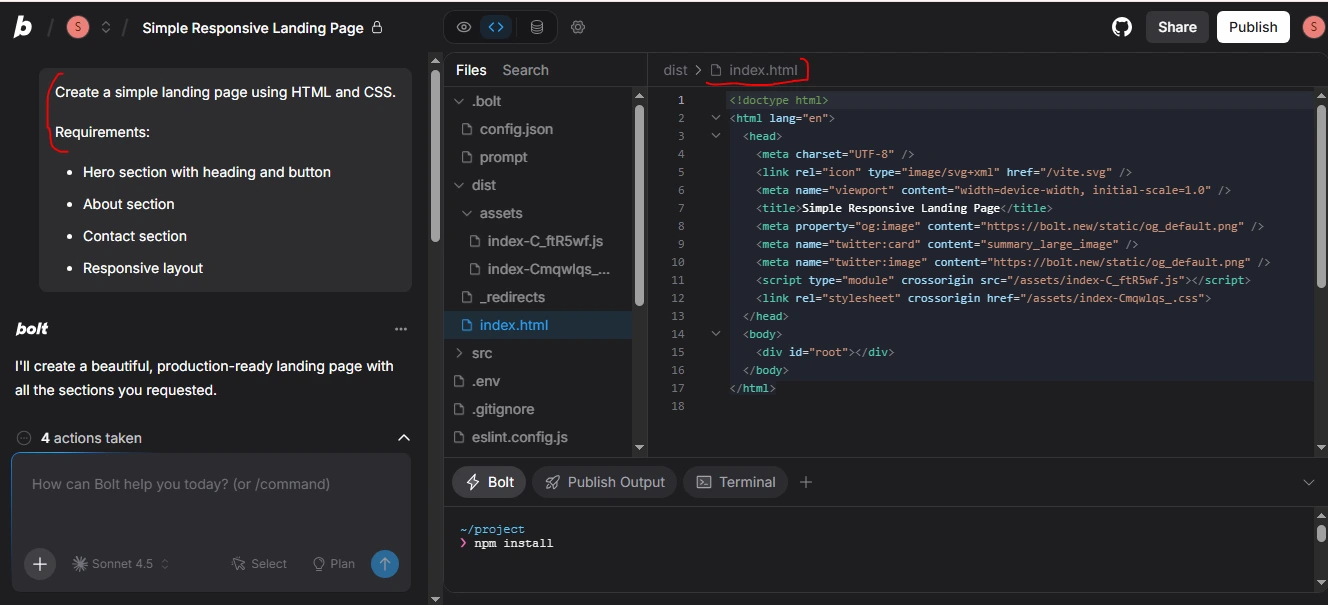
I tested Bolt AI with a simple prompt, and it generated the full HTML and CSS code. It created a working landing page that was ready to use right away. The following page is a result of the prompt.Personal experience

| What Are the Main Features of Bolt AI? |
|---|
|
Bolt AI includes several capabilities. It helps us to create applications faster. Prompt-Based DevelopmentYou just tell it what you would like in plain English rather than typing in every line of your code. Example prompt: “Create a dashboard of tracking sales data with charts and a login system.” Bolt AI reads the prompt and builds the first project structure for you. You easily convert those instructions into a working application. Full-Stack Code GenerationBolt AI automatically generates the frontend and backend. It creates UI elements, API routes, database logic, and authentication. Developers receive a fully functional application. They test and refine it immediately. Live Editing EnvironmentThe platform contains a browser-based IDE. You can edit files to preview the app, and run commands directly. WebContainers makes the IDE run entirely in the browser without installing additional tools. Backend IntegrationBolt AI connects to backend databases and services. Many projects integrate services like Supabase to manage authentication for storage, and database functionality. This eliminates the need to install servers or configure complex backend setups manually. One-Click DeploymentOnce your app is ready, deploy it with a couple of clicks using services such as Vercel or Netlify. The process launches projects quickly and releases them with minimal effort. |
How Did Bolt AI Perform When I Built My First App With It?
My first test with Bolt AI was straightforward. I decided to build a small project management dashboard to see how quickly the platform generates a working application. The prompt I used was simple:
“Create a project dashboard where users can add tasks, mark them complete, and view progress charts.”
Bolt AI generated a frontend layout, basic task management logic, and a clean dashboard interface within seconds. The app appeared instantly in the browser preview. It made testing very easy. The UI design looked organized and most of the functionality worked immediately.
However, I still needed to adjust some styling to refine parts of the logic, and improve small UI details. The entire process saved far more time than setting up a project manually even with those edits.
| What Types of Applications Can You Build Using Bolt AI? |
|---|
|
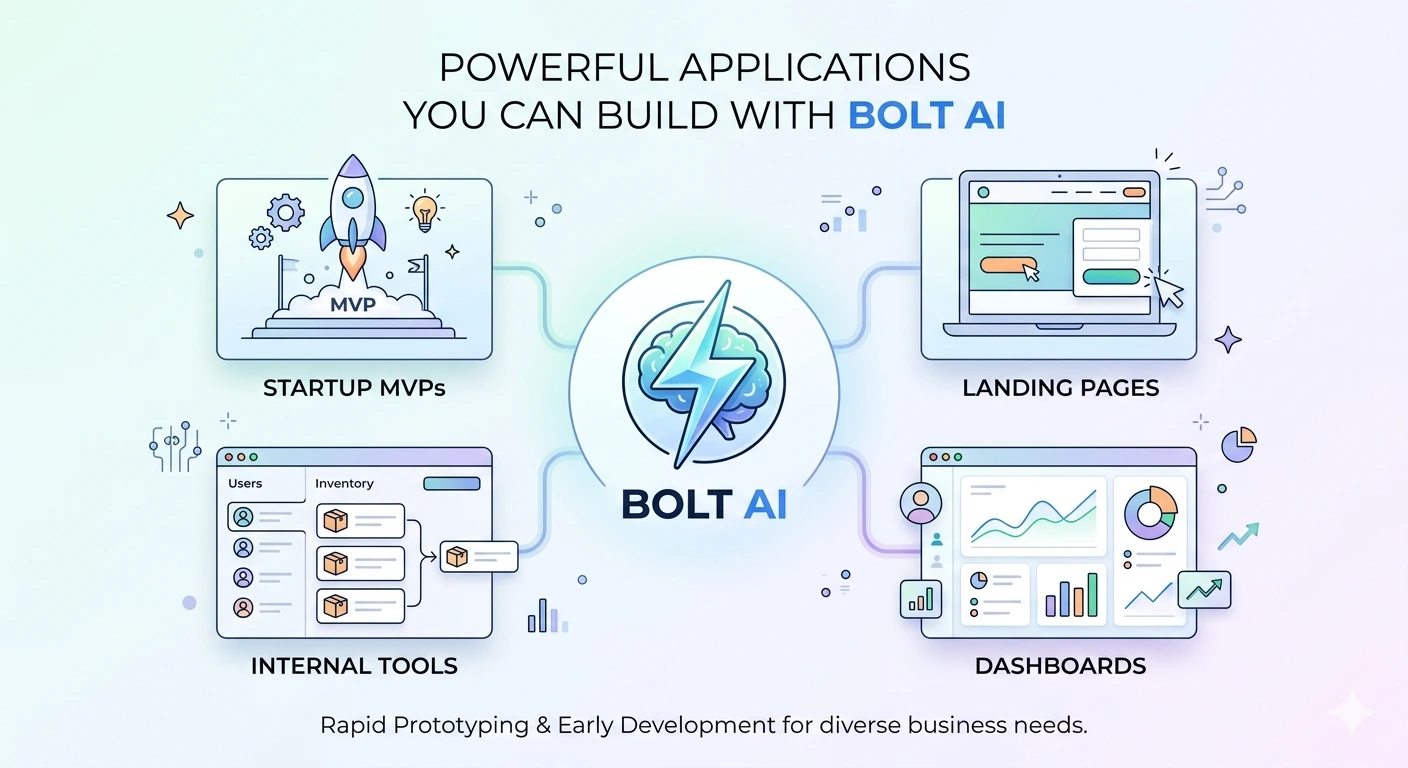
Bolt AI works best for rapid prototyping and early development. Some common use cases include: Startup MVPsThe founders used Bolt AI to experiment ideas without the need to create a full infrastructure. It develops the beta versions of productivity applications, SaaS products, or niche markets. Ideas are tested and feedback gathered in a short period of time. Landing Page BuildersMarketers create landing pages within minutes. Bolt AI creates pages that have navigation, forms, and formatted content. This accelerates campaign roll-outs and testing proposals. Especially when combined with automated marketing workflows. Dashboard ApplicationsBolt AI has the capability of creating data monitoring and information management dashboards. Quickly create analytics dashboards to administration panels, or reporting tools. It assists the teams in visualizing metrics and task management. Internal Business ToolsCompanies are developing internal applications such as inventory software, Customer relationship management software or workforce management software. Bolt AI has made the creation process easier by automating and reducing the workload. |
What Is the Pricing of Bolt AI and Is It Worth the Cost?
Bolt AI typically follows a usage-based model. Many AI development tools charge based on tokens, which represent the amount of AI processing used to generate code.
Here is a simplified overview.
| Plan | Price | Best For |
| Free Plan | Limited usage | experimentation |
| Starter | Low monthly fee | small projects |
| Pro Plan | higher token limits | startups and developers |
| Team Plan | collaboration features | teams |
The free tier allows users to experiment with the platform. Paid plans offer higher token limits and additional features.
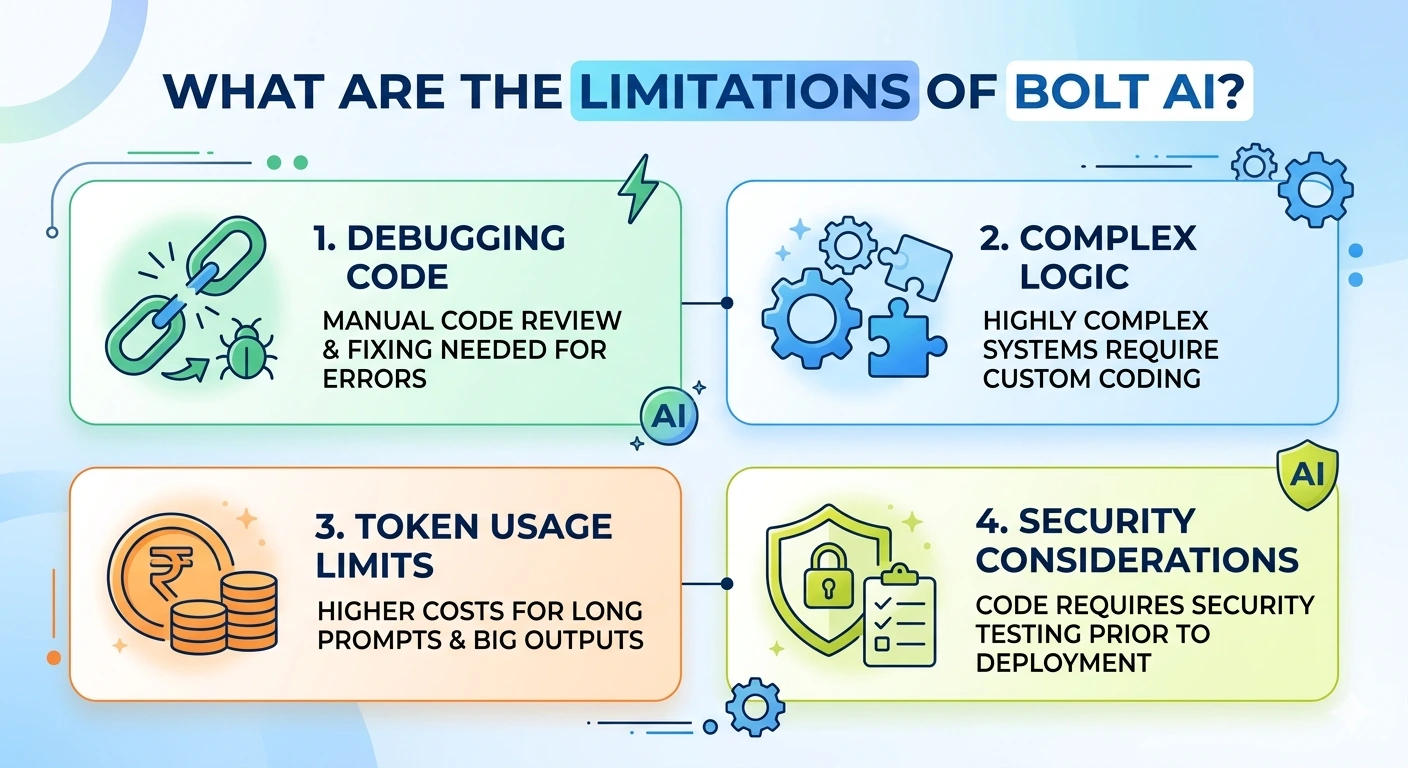
Even though Bolt AI speeds up development, some limitations appear when projects become more complex.
Debugging AI Code
When AI creates a code it is full of logic errors or inefficiencies. Files are read thoroughly by developers. It issues the notices and manually debugged to make certain they are running efficiently.
Complex Logic Challenges
Bolt AI has been performing well in standard apps. Highly complex systems with complex business logic need to be custom-built. Manual coding is normally required in these instances.
Token Usage Limits
Most AI dev systems implement tokens to produce code. Long prompts or big outputs take more tokens. It increases the cost to the frequent users.
Security Considerations
AI-generation of code is inspected according to the best security practices. Software such as authentication for data validation and API processing are sensitive areas. It has to be tested and secured prior to deployment.
What Prompt Techniques Work Best in Bolt AI?
Prompt quality plays a major role in how well Bolt AI generates applications. Short or vague instructions produce incomplete results because the system lacks enough context. Detailed prompts help the AI understand the project’s structure of required features, and overall purpose. It leads to more accurate and usable code output.
There are following 5 helpful prompt strategies include:
- Indicate the key features and functionality.
- Name the most important UI elements, including dashboards, forms, or menus.
- State required frameworks, technologies, or integrations required.
- Provide the description of the purpose of the app and the issue addressed.
- Develop information about users, activities, or processes.
Descriptive prompts Structured prompts allow Bolt AI to produce structured code and complete projects with fewer edits. When developers provide clear instructions, the AI can better understand expectations and deliver results. It requires fewer edits to save both development time and effort.

Comparing Bolt AI with manual development reveals both advantages and trade-offs.
Speed
Bolt AI reduces the duration of commencing a new project. It generates the first structures in a short period. Developers easily test ideas very fast.
Flexibility
Manual coding has more control needed for advanced customization. It is a complex integration or highly specific behavior and AI does not produce.
Debugging
Developers must review and understand AI-generated code to identify logic issues, fix errors. The application performs correctly in different situations.
What Are the Best Alternatives to Bolt AI?
Several other AI coding tools exist in this space.
Here are some common alternatives.
| Tool | Best For | Strength | Weakness |
| Replit AI | browser coding | collaborative environment | limited complex automation |
| Cursor | developer workflows | strong AI code editing | requires coding knowledge |
| Lovable AI | fast app creation | simple interface | fewer customization options |
Each tool targets slightly different development workflows.
Developers often experiment with multiple platforms to find the best fit.
Can Beginners Really Build Apps With Bolt AI?
Bolt AI is easier to use than conventional environments. Simple prompts allow basic applications to be created by the new user without a lot of configuration.
Some knowledge of HTML, JavaScript, UI customization, application code, and deployment knowledge can help in the interpretation and editing of the generated code. Novices write small and build on applications as they learn about development concepts.

There is a rapid development of AI coding tools. Firms such as StackBlitz are developing browser based platforms on which software can be developed immediately. The integrations with Vercel, Supabase and Netlify demonstrate the close connection of modern infrastructure with AI development tools.
Software development may be the future which will consist of:
- Artificial intelligence generated project basis.
- Faster prototype creation
- Easy-to-use deployment processes.
Bolt AI represents one step in this direction. Developers will likely continue combining AI tools with traditional coding skills to build better applications faster.
Many readers want to know whether multiple developers can work on the same project, share prompts, or edit files together when building applications with the platform.
Developers often wonder if they can import or export projects to version control platforms like GitHub to manage code history and collaborate with other team members.
Some readers want to know if apps generated by the platform are stable enough for real users or if the tool is mainly suitable for testing ideas and early prototypes.
Because the platform runs inside a browser, readers may question whether it performs smoothly on laptops with limited RAM or slower internet connections.
Tech users are curious about how frequently the platform improves its capabilities, adds integrations, or upgrades the AI models used to generate applications.
Conclusion
Bolt AI provides a new software development method. Natural language prompts are used to provide working software in moments. It also works directly in the browser. It is integrated with modern services. It makes the initial development steps easier. The developers, the startups, and the teams are required to test their ideas in a short period of time. These are powerful tools to test their ideas in a flash. It does not mean that it does not require traditional coding, but it reduces the time required to create the initial version of an app. As AI based development tools keep evolving, tools such as Bolt AI are bound to be significant to the future software development.





- Be Respectful
- Stay Relevant
- Stay Positive
- True Feedback
- Encourage Discussion
- Avoid Spamming
- No Fake News
- Don't Copy-Paste
- No Personal Attacks
- Be Respectful
- Stay Relevant
- Stay Positive
- True Feedback
- Encourage Discussion
- Avoid Spamming
- No Fake News
- Don't Copy-Paste
- No Personal Attacks
