How Does Illustroke AI Work? Full Review 2026
Published: 1 May 2026
Illustroke AI is an AI-powered vector illustration tool. It is designed to turn simple text prompts into scalable and high-quality SVG graphics. It is mainly made for designers, marketers. Also for non-designers who want quick, professional visuals without advanced design skills or heavy software learning.
I still remember the frustration of staring at a blank Illustrator canvas and trying to create a simple vector illustration for a client project. I had some good designs but not usable hours later. If you have ever felt that pain, Illustroke changes how you work forever.
This is not a promotional piece. It is an honest and experience based review of what Illustroke actually did for its customers.
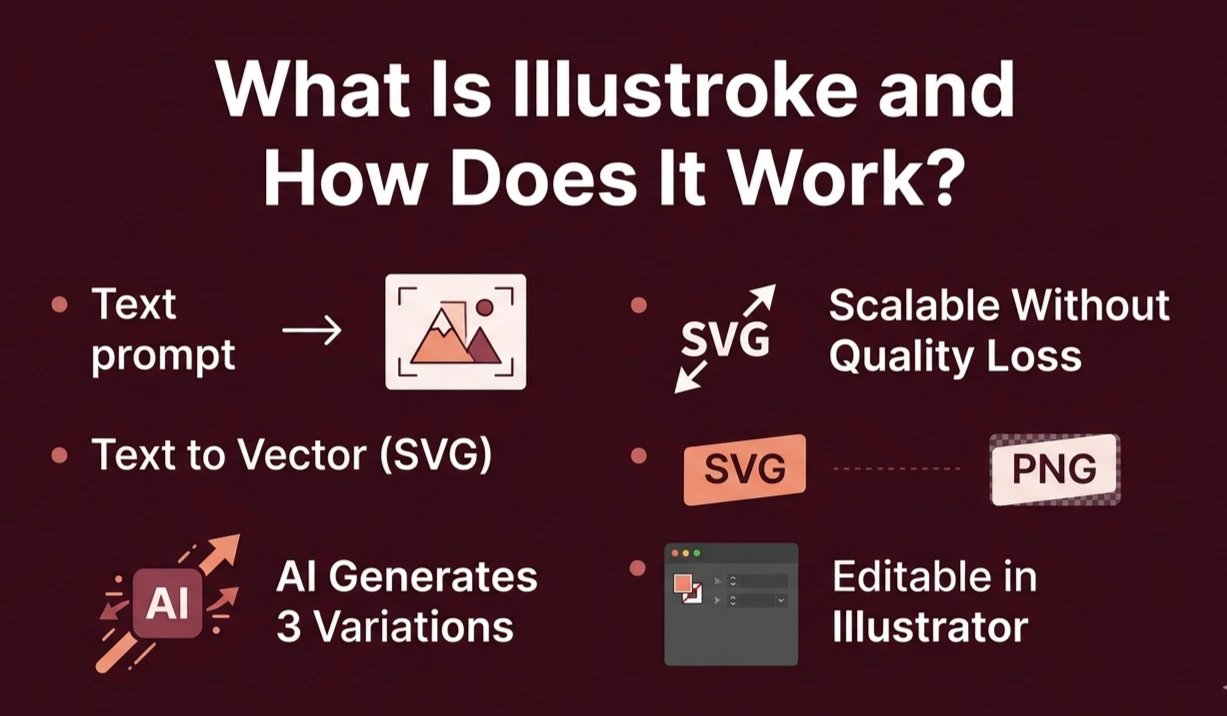
Table of Contents
| What Is Illustroke AI and How Does It Work? |
|---|
|
Illustroke operates as an online AI illustration app. It creates vector illustrations from text. You provide a text prompt, such as “a happy coffee cup (flat design style)” and the AI generates three different versions of illustration in SVG format. The main difference between it and other AI image generators such as Midjourney and DALL·E 3 is that it generates vector illustrations. Other AI image generators output raster images (PNG or JPG). When we resize them, they reduce their resolution. Illustroke produces Scalable Vector Graphics (SVG), images that don’t lose quality. No matter, you are printing on a business card or a billboard. SVG vs PNGSVG files use mathematical formulas rather than pixels. So they are resized without losing quality. So they’re ideal for logos, icons, and other web branding. AI Generation ProcessThe AI processes your text prompt and produces three possible illustrations. You select your preferred one, edit it with the editor and then download the final SVG or PNG file. Why Vector MattersVector files remain fully editable after download. You simply open them in illustrator, or Inkscape and you can edit each line, shape, and colour to suit your exact branding needs. |
How Do You Use Illustroke AI From Start to Finish?
You don’t need to know anything about design. The process is simple, quick and intuitive.
- Create an account at illustroke.com .
- Type a text prompt for the illustration AI you want.
- Select an illustration style from over 40 options such as flat, isometric, 3D and line art.
- Choose between three versions of the illustration,
- Edit colours, shapes and elements in the SVG editor.
- Export your design as an SVG or PNG file.
Use a prompt in the format of style + subject + mood. So, rather than “a dog,” use “a flat design illustration of a golden retriever, playful and bright.” The more information you can provide, the better. Expert Tip
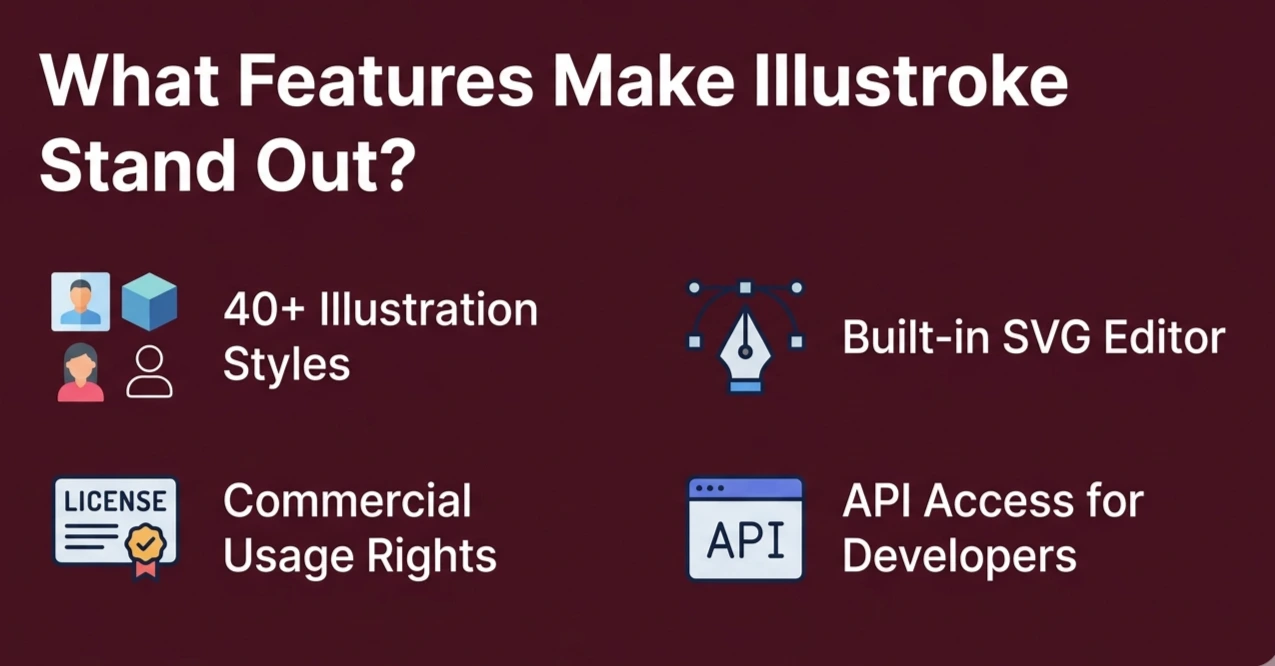
Illustration Style Library
Illustroke AI provides more than 40 unique styles including flat, isometric, 3D, line art and so on. This diversity eliminates the need to search for the right stock image or hire a freelancer for every project.
Built-In SVG Editor
The editor forces you to change the colour of paths and edit shapes in the browser after generating the artwork. It’s not as sophisticated as Illustrator, but does a good job with rebranding colours.
Commercial Usage Rights
Paid plans allow you to use illustrations for commercial purposes such as client projects, packaging, and advertising. Always check the latest terms on the Illustroke website before publishing.
API Access
Illustroke offers API access for developers to use text-to-vector in their own apps. This is a real benefit for SaaS applications, automated processes and asset generation.
How Much Does Illustroke Cost?
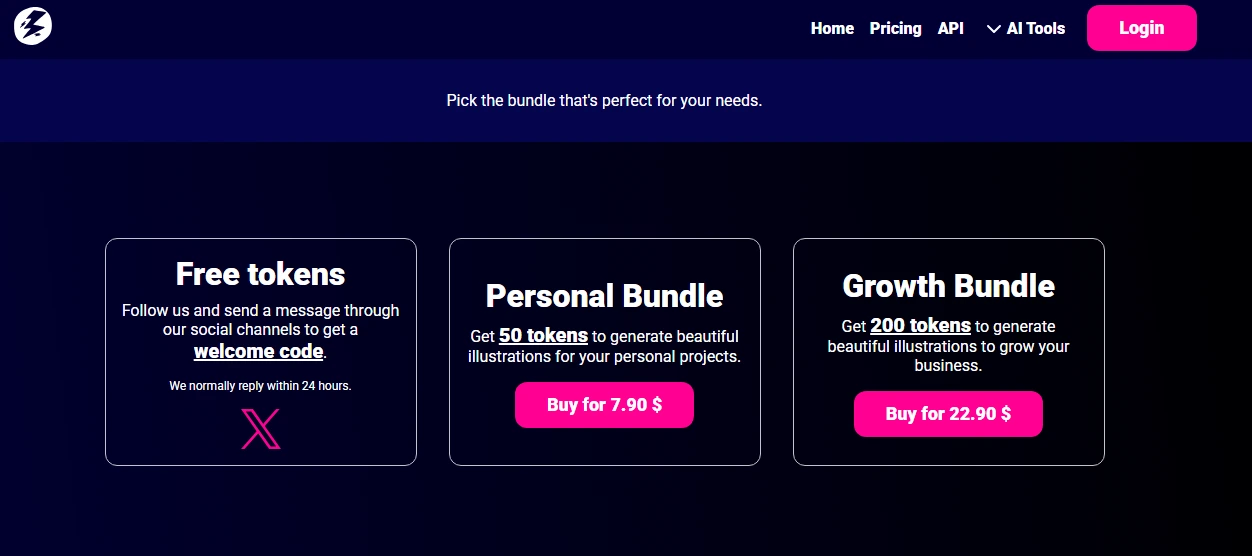
Illustroke AI uses a token-based pricing model. You purchase tokens upfront, and each illustration generation spends tokens from your balance. Here is how the plans typically break down:
| Plan | Tokens Included | Approx. Cost | Est. Illustrations |
| Starter | – | ~$0 | ~16 to 25 |
| Personal | 150 tokens | ~$7.90 | ~50 to 75 |
| Growth | 500 tokens | ~$22.90 | ~165 to 250 |
| API / Custom | Variable | Contact | Bulk / programmatic |
Token ROI Math
A freelance illustrator typically charges $7.90 to $200 per vector illustration. On a Growth plan, Illustroke produces an SVG for roughly $0.20 to $0.60 per generation. It delivers serious cost savings for regular users.
Is It Worth It?
The value is clear for marketers, bloggers, and e-commerce owners who need regular illustration assets. Heavy users generating and discarding many results should track their acceptance rate before committing to a larger plan.
Illustroke AI is not for everyone and it is more trustworthy to be honest. Here’s a breakdown of who should use it on a regular basis.
- Graphic designers who want to rapidly create client-ready vector drafts without having to start from scratch
- Online marketers creating visuals for campaigns, blog posts and social media content
- Online retailers who want to create product icons, banners and other brand assets on-the-fly
- Bloggers and marketers who need custom illustrations to avoid stock photos
- Programmers who want to use the API to generate illustrations with AI in their apps
- Beginners who want to create professional-looking graphics but can’t afford to hire a designer
Illustroke does not replace the work of illustrators who create original illustrations. But as a time and iteration-savings tool, it is welcome.
How Does Illustroke AI Compare to Other AI Tools?
| Feature | Illustroke | Midjourney | Canva AI | Adobe Firefly | Recraft AI |
| SVG Output | Yes | No | Limited | Limited | Yes |
| Illustration Styles | 40+ | Unlimited | Limited | Moderate | Moderate |
| Pricing Model | Tokens | Subscription | Freemium | Subscription | Freemium |
| API Access | Yes | No | No | Limited | Yes |
| Ease of Use | 5/5 | 3/5 | 5/5 | 4/5 | 4/5 |
| Best For | SVG/vector | Artistic images | General design | Adobe users | Vector + SVG |
Illustroke vs Midjourney
Midjourney is great for artistic and photorealistic raster images but does not export SVG. Always use Illustroke if you are looking for scalable vectors and specific illustration styles for your design work.
Illustroke AI vs Canva
Canva is a great general design tool but lacks real/svg illustration output. Illustroke AI targets the niche need with specific vector output and further styles of illustration for commercial use.
Illustroke vs Adobe Firefly
Adobe Firefly is a part of the Adobe suite. It is ideal for Creative Suite users. Illustroke AI is quicker, easier and cheaper for those not needing the entire Adobe suite or price.
Illustroke vs Recraft AI
Both produce real SVG files, and are the two most competitive vector illustration tools. Recraft has a free version but Illustroke’s tokens are cheaper at higher volumes.
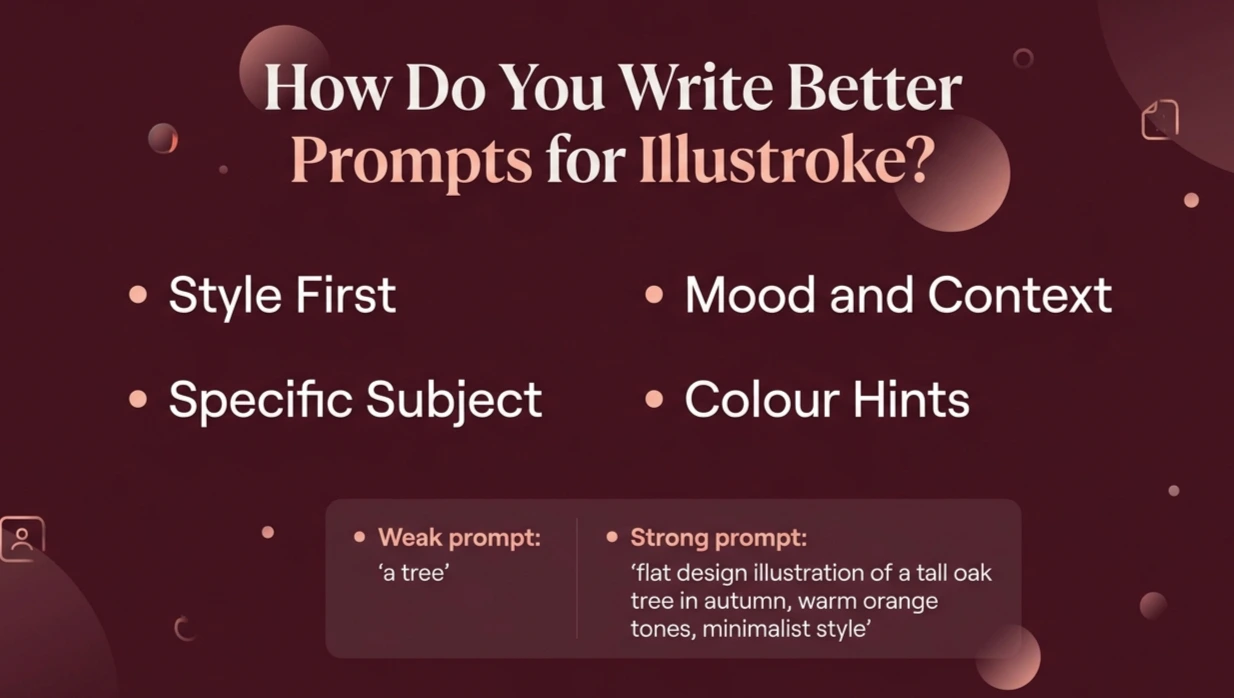
This is the most neglected aspect of all the Illustroke AI reviews. This is the key to how we get good illustrations. Good prompts will lead to better outcomes and less tokens wasted.
Weak prompt: “a tree” Strong prompt: “flat design illustration of a tall oak tree in autumn, warm orange tones, minimalist style”
Follow this formula consistently for better results every time:
Style First
Always include the style of illustration first in your prompt. The AI knows how to draw in flat design, isometric, line art, watercolour-style and 3D. It creates very different images.
Specific Subject
Use adjectives to describe your main subject. Don’t just use nouns. The more precise you are about colour, shape, size, and personality, the more accurate the results.
Mood and Context
When we include a mood or context in the prompt it makes it more relevant. Tech, playful, cosy and professional are just a few examples of words. They help set the tone.
Colour Hints
When we include dominant colours in the prompt it helps get the right output from the first generation, in line with brand guidelines. This saves time post-generation and the need to regenerate to obtain a better result.
Warning: If you generate in high volume without refining prompts, token costs rise quickly. Spending an extra 30 seconds on each prompt dramatically reduces regenerations and extends your token balance further.
What Are the Real Use Cases for Illustroke AI?
Scenario 1: A single blogger owns a personal finance website with need-to-have illustrations. But she has zero illustration budget. She creates uniform and flat-design illustrations in less than 3 minutes per article with Illustroke. She produces a unique and professional site without a designer.
Scenario 2: A developer building a SaaS onboarding tool needs auto-generated category icons based on user input. He integrates Illustroke’s API directly into the product dashboard. You see custom icons without any manual design work happening behind the scenes.
Scenario 3: An e-commerce brand manager requires 30 product category illustrations to redesign a website. He opts for the Growth plan and completes all the artwork in an afternoon for less than $50, rather than hiring a freelancer for $80 per illustration for a total cost of $2,400.
Notable Weaknesses
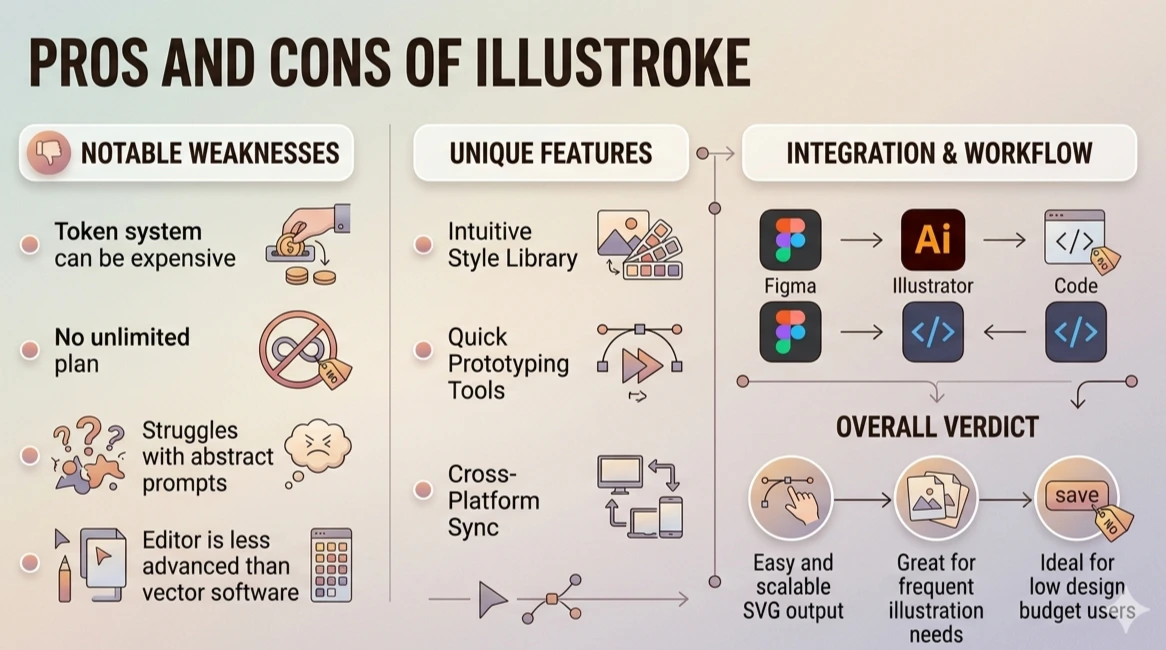
The token system is costly without an “unlimited” plan. It sometimes struggles with more abstract prompts. The integrated editor does not match the sophistication of vector software.
Clear Strengths
Illustroke is a true SVG tool with 40+ styles. It has a simple web-based editor, an API and a price tag. It’s cheaper than freelancers for many common illustration jobs.
Overall Verdict
Illustroke is in a category of its own when it comes to easy, scalable SVG output. It’s a good option for users who need illustrations frequently and do not have a big design budget.
How Does Illustroke Work With Adobe Suite?
When you download an SVG from Illustroke AI, you easily open it in Adobe Illustrator to edit. You edit any path, shape or object in Illustrator.
These ways make Illustroke a quick sketch tool to kick-start your Adobe workflow. You generate the concept in a matter of seconds, and finish it in Illustrator to match the brand guidelines. It is not an alternative to Illustrator. It is a great starting point, relieving the “blank page syndrome” and getting you to a refined result quicker than you could otherwise.
Midjourney is best for photorealistic and stylised raster images. Illustroke AI is a vector SVG art generator with styles. If you want to make scalable vector files for designs, use Illustroke.
You will spend about 2–3 tokens to generate each illustration (including the three variations). You are able to generate around 16–25 illustrations with 50 tokens.
The app makes it easy for anyone to use. You simply describe your design need, select a style and download. There’s no need to know design and it’s one of the easiest AI design tools to use.
You can export illustrations from Illustroke AI as SVG and PNG. Designers use SVG as the default format for the web, logos, and other illustrations where they need an image that scales to any size without losing quality.
Illustroke can produce vector illustrations of a logo and icon nature. For fine-tuning logos you will probably want to edit the SVG file in a vector editing program such as Adobe Illustrator.
Conclusion
Illustroke AI does a good job of addressing a problem. How to get high quality vector illustrations without having to master design or pay hefty fees to a freelancer. It’s a valuable tool for bloggers, marketers, e-commerce store owners and developers at a realistic cost.
It is not perfect. There is a token system to budget and sometimes unexpected outcomes with complex prompts. However, as a low-effort way of generating consistent scalable SVG art. It is in a class of its own.
If you have been using stock illustrations or investing too much time in designing your own, try Illustroke. Sign up for the free version, and spend some time experimenting with prompt construction, and you will probably save time and money on each project.

- Be Respectful
- Stay Relevant
- Stay Positive
- True Feedback
- Encourage Discussion
- Avoid Spamming
- No Fake News
- Don't Copy-Paste
- No Personal Attacks
- Be Respectful
- Stay Relevant
- Stay Positive
- True Feedback
- Encourage Discussion
- Avoid Spamming
- No Fake News
- Don't Copy-Paste
- No Personal Attacks
