What is Spline AI? Complete Guide to AI 3D Design Tool
Published: 27 Mar 2026
Spline AI is a modern AI-powered 3D design tool. It easily runs directly in your browser. It allows users to create interactive 3D designs, animations, and web graphics without complex installations or steep learning curves. It is not like a traditional 3D software,
At its core, it combines AI 3D modeling with no-code design tools. It makes it accessible to beginners and professionals alike. You can build interactive web graphics with UI elements, and animations. It works seamlessly on websites.
As AI tools continue to evolve, platforms like AI Content Creators are also transforming how digital products are built alongside 3D tools.
The reason it’s trending in 2025–2026 is simple:
- It has a growing demand for interactive 3D websites
- It shifts toward browser-based design tools
- It rise of no-code and low-code platforms
- Their need for real-time collaboration in design teams
Designers or developers, and marketers are now moving beyond static visuals. Tools like Spline AI are leading these transformations.

Table of Contents
| What Are the Key Features of Spline AI and They Make It Unique? |
|---|
|
Spline AI stands out because it simplifies complex 3D workflows into an intuitive experience. Here are its most important features: AI-Powered 3D GenerationSpline AI is an artificial intelligence-based 3D object generation system on simple prompts. It appears to assist us in developing rapid models. It minimizes the manual design work to increase creativity. It enables the entry-level editors to create advanced visual images without thorough technical expertise. Real-Time 3D ModelingWe make and manipulate 3D objects directly in an interactive canvas. The tool has a visual interface thus enabling one to change shapes, positions, and properties in real-time. It does not require any coding or novel modeling skills. Animation SystemSpline AI has an inbuilt animation system. We make timelines and keyframes to provide the seamless flow. It gives designs a moving and interactive quality. And makes it perfect on websites, user interface, and interactive digital experiences. Real-Time CollaborationThere are several other users who collaborate on the same project in real time. It simplifies and accelerates teamwork. The design teams will find this feature very helpful. They require immediate feedback changes and joint editing without wasting time. Browser-Based WorkflowSpline AI is purely web-based. It does not require installation or expensive hardware. We are able to download their projects wherever we go. It renders it bendable, light and ideal in the current cloud-based design processes. |
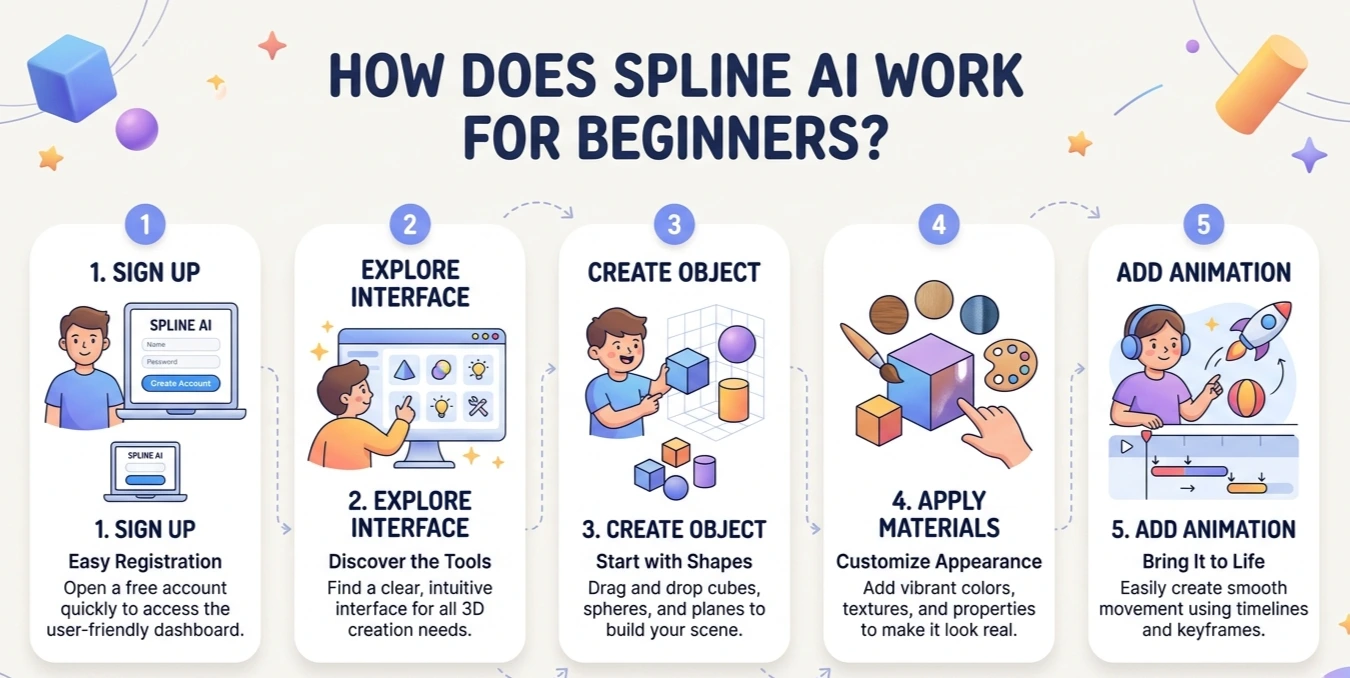
How Does Spline AI Work for Beginners?
You start using Spline AI remarkably easily. Although this is a 3D design tool that you have probably never used in your life. You master the fundamentals quickly.
Step-by-Step Beginner Flow:
Sign Up
The process of getting started involves you opening an account on Spline AI. Registration happens quickly and easily, and the dashboard appears immediately. Beginners navigate the site without any intricate configuration or set-up factors.
Explore the Interface
Once the user logs in, he or she sees an easy-to-use interface. It contains shape, material, lighting, and animation tools. The interface displays everything visually. A beginner easily knows where to begin and go through the easy way.
Create Your First Object
Beginners can start with simple shapes such as cubes, spheres, or planes. The objects resize easily. The user rotates and places them to understand how the 3D space works in a practical and interactive manner.
Apply Materials
The user customize their objects by applying colors, textures, and reflections. This action improves the visual look of designs. It helps beginners to understand realistic representation in an easy manner.
Add Animation
Spline AI enables users to animate objects with the keyframes and timelines. Beginners make smooth motion effects, so their designs become interactive and dynamic even without previous experience in animation and highly technical capabilities.
The learning curve remains quite easy as opposed to conventional tools. Nonetheless, beginners require a certain time to learn 3D space and object rotation.
| What Was My First Experience Using Spline AI as a Beginner? |
|---|
|
When I first tried Spline AI, the interface was clean and modern. But I was slightly confused about navigation in 3D space. The first project that I did was a simple animated cube. It required me a couple of minutes to realize:
Once I got past that, everything started to feel intuitive. It was a lot easier than I thought with the drag-and-drop feature and the visual controls.The best thing about the tools that made a difference was that I created a working 3D design in a short amount of time. It did not feel intimidating like conventional 3D tools. |
What Can You Create with Spline AI?
Spline AI supports various industries and you apply it in multiple ways. The following are some of the strong use cases:
Web Design
Spline AI enables all developers to make landing pages interactive 3D to gain the attention of the user. These images increase the involvement for better the narration. It makes Web sites look up to date, assisting brands to become unique with sensory experiences.
UI/UX Design
Designers create modern user interfaces with the help of Spline AI. They are depthful with moves, and interactive. It assists in making the user experiences engaging through the introduction of the dynamic elements. It enhances the usability, visual impact, and the overall flow of the interaction.
Marketing Visuals
Spline AI helps you in designing catchy marketing images like product display and movements. These interactive designs help users to interact easily and the promotional content sticks in the user’s memory better than traditional unmoving graphics.
Game Assets
Developers and designers apply Spline AI to produce simple 3D objects in games or prototypes. It helps them create simple assets within a short time. It accelerates development and encourages idea creation.

What Are the Pricing Plans of Spline AI and Is It Worth It?
Spline AI offers both free and paid plans.
Free Plan:
- Basic features
- Limited exports
- Suitable for beginners
Paid Plans:
- Advanced features
- More exports
- Collaboration tools
Who Should Choose What?
| User Type | Recommended Plan |
| Beginners | Free |
| Freelancers | Basic Paid |
| Teams | Advanced Plans |
If you’re just starting, the free plan is more than enough. Professionals may benefit from upgrading.
What Are the Pros and Cons of Using Spline AI?
| Pros: |
|---|
|
- Limited advanced 3D features
- Performance issues with complex scenes
- Not suitable for high-end 3D production
Spline AI is perfect for web-focused 3D design but not for cinematic-level modeling.
What Are the Best Alternatives to Spline AI?
Here are six popular alternatives you can consider depending on your needs:
| Tool | Best For | Complexity |
| Blender | Advanced 3D modeling and animation | High |
| Figma (with 3D plugins) | UI/UX design with interactive prototypes | Medium |
| Tinkercad | Beginner-friendly 3D modeling and prototypes | Low |
| Vectary | Web-based 3D design and AR models | Medium |
| Adobe Dimension | Product mockups and realistic 3D scenes | Medium |
| Runway ML (3D tools) | AI-assisted creative 3D content generation | Low |
When NOT to Use Spline AI:
- You need high-detail 3D rendering
- You’re working on complex game development
- You require advanced physics simulations
In real-life applications, Spline AI delivered great results in web-based projects. It is creating interactive and visually attractive content. Personally, I applied it to create a 3D hero section on a landing page.
I found the process easy and intuitive to apply. The preview option updated in real time. It gives the chance to see changes immediately. I embedded them into my site easily. Most designs are rendered quickly. It saves time during iteration. However, I observed the performance dropped with more complex scenes, and the tool lacks some advanced modeling features.
In general, it works best with lightweight and interactive designs rather than heavy and high-detail 3D production projects.

How Does Spline AI Compare to Other 3D Design Tools?
The common characteristic of Spline AI is the emphasis on simplicity and accessibility. That’s why users find it the best option to choose when they are new or are web designers willing to spend only a few minutes to edit an image or album with minimal or no technical skills. We find it significantly more user-friendly than traditional tools in 3D. They create interactive designs using a browser. It delivers a balanced experience in most weather-based web projects. It faces problems with very complex scenes. In general, when you prioritize speed for convenience, and interactive web design. Spline AI is an excellent choice for profound customization and complicated workflows with other tools fit better.
Spline AI aims to be simple and accessible
Comparison Highlights:
- Ease of Use: Spline AI wins
- Performance: Balanced
- Advanced Features: Traditional tools like Blender win
If you want speed and simplicity Spline AI is a great choice. For deep customization, other tools may be better.
The applicability of Spline AI in adding interactive 3D to websites. It has the potential to significantly stimulate users and enhance their experience. These designs improve page appearance when implemented correctly. It retains the visitors longer, and increases interaction. It can indirectly boost SEO performance.
However, using heavy or non-optimized 3D assets slow page load times. It negatively affects user experience and search engine rankings.
Benefits
- Users spend more time on pages and engage more
- Increased visual appeal and interactivity
- Better UX in contemporary web experiences
Risks
- Massive 3D assets can delay page loading
- Possible adverse effect on mobile operation
Best Practice
It keep 3D components lightweight to optimize assets, and test load time to ensure web performance stays fast, and enjoyable
What Did I Like the Most About Spline AI?
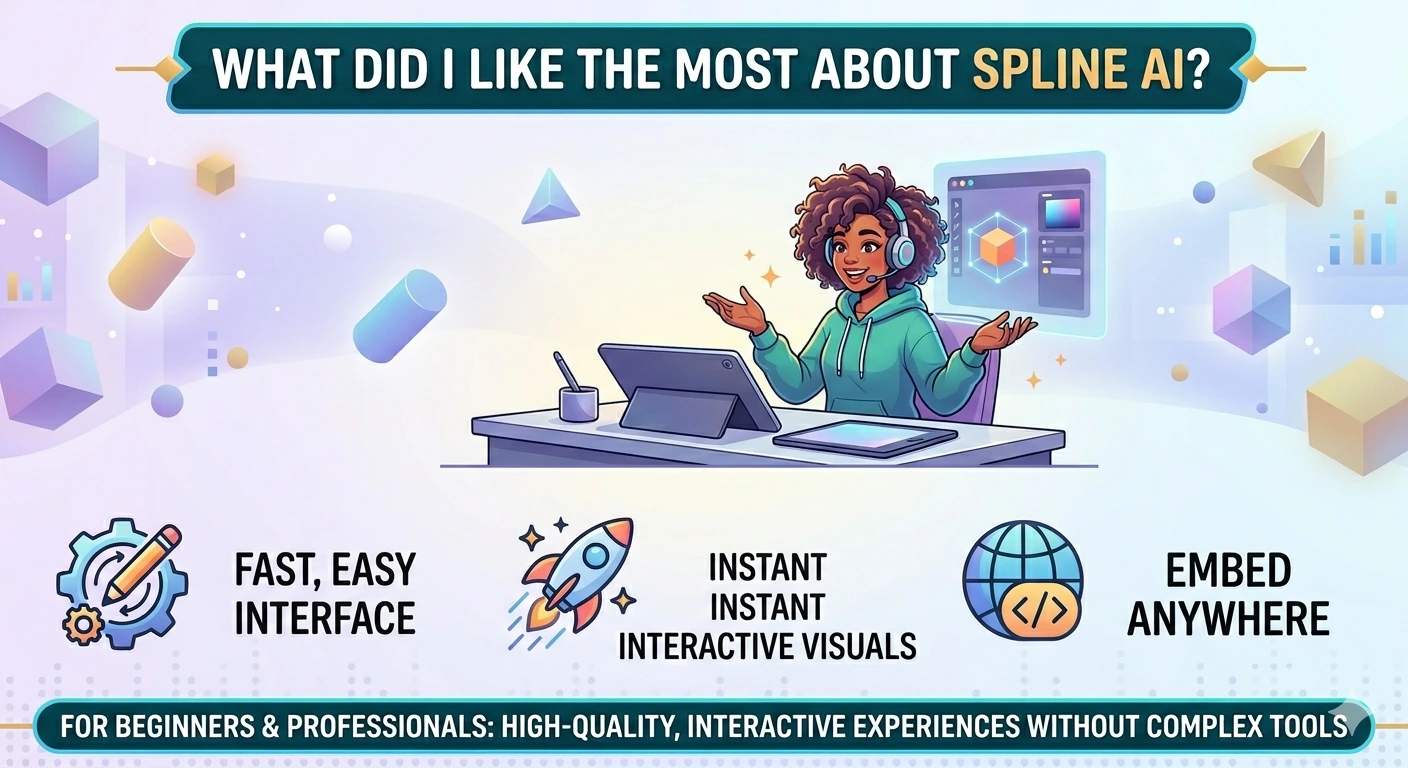
The most captivating aspect to me about Spline AI was that it allowed me out-of-the-box, as a non-technical person, to design 3D without learning technical aspects beforehand. The interface was easy to use. I began developing interactive visuals almost immediately. It made the process pleasant and fast.
You can streamline your workflow further using tools like Fathom Notetaker to manage tasks and ideas efficiently.
I especially liked:
- Real-time editing
- Interactive animations
- Easy embedding
These attributes provide a smooth transition between design and development. They enable us to create high-quality to get interactive experiences with websites or projects without using complex 3D modeling tools. It make the Spline AI highly realistic and user-friendly for beginners as well as professionals
| What Problems Did I Face While Using Spline AI? |
|---|
|
During my work on Spline AI, I encountered some difficulties that I share with readers:
Workarounds:
These issues are manageable, especially for beginners and web-focused projects. |
Since you discussed limitations in advanced features, readers may want to know if they can continue their work in tools like Blender or others.
Beginners especially might want to know if they can start with templates instead of creating everything from scratch.
Since everything is cloud-based, readers may be concerned about data safety, ownership, and privacy.
Readers may wonder about performance requirements since the tool is browser-based and you mentioned lag in complex scenes, but internet speed needs were not explained.
Conclusion
Spline AI is redefining how designers create 3D content. It also makes 3D design more accessible than ever with AI-powered tools and a browser-based workflow
Spline AI serves as a useful tool for those in interactive design or professionals seeking to improve web experiences. Although it cannot replace sophisticated 3D programs. It fulfills a key need in contemporary digital design
Spline AI is certainly worth considering if you want to produce interesting, interactive visuals without complexity.





- Be Respectful
- Stay Relevant
- Stay Positive
- True Feedback
- Encourage Discussion
- Avoid Spamming
- No Fake News
- Don't Copy-Paste
- No Personal Attacks
- Be Respectful
- Stay Relevant
- Stay Positive
- True Feedback
- Encourage Discussion
- Avoid Spamming
- No Fake News
- Don't Copy-Paste
- No Personal Attacks
